
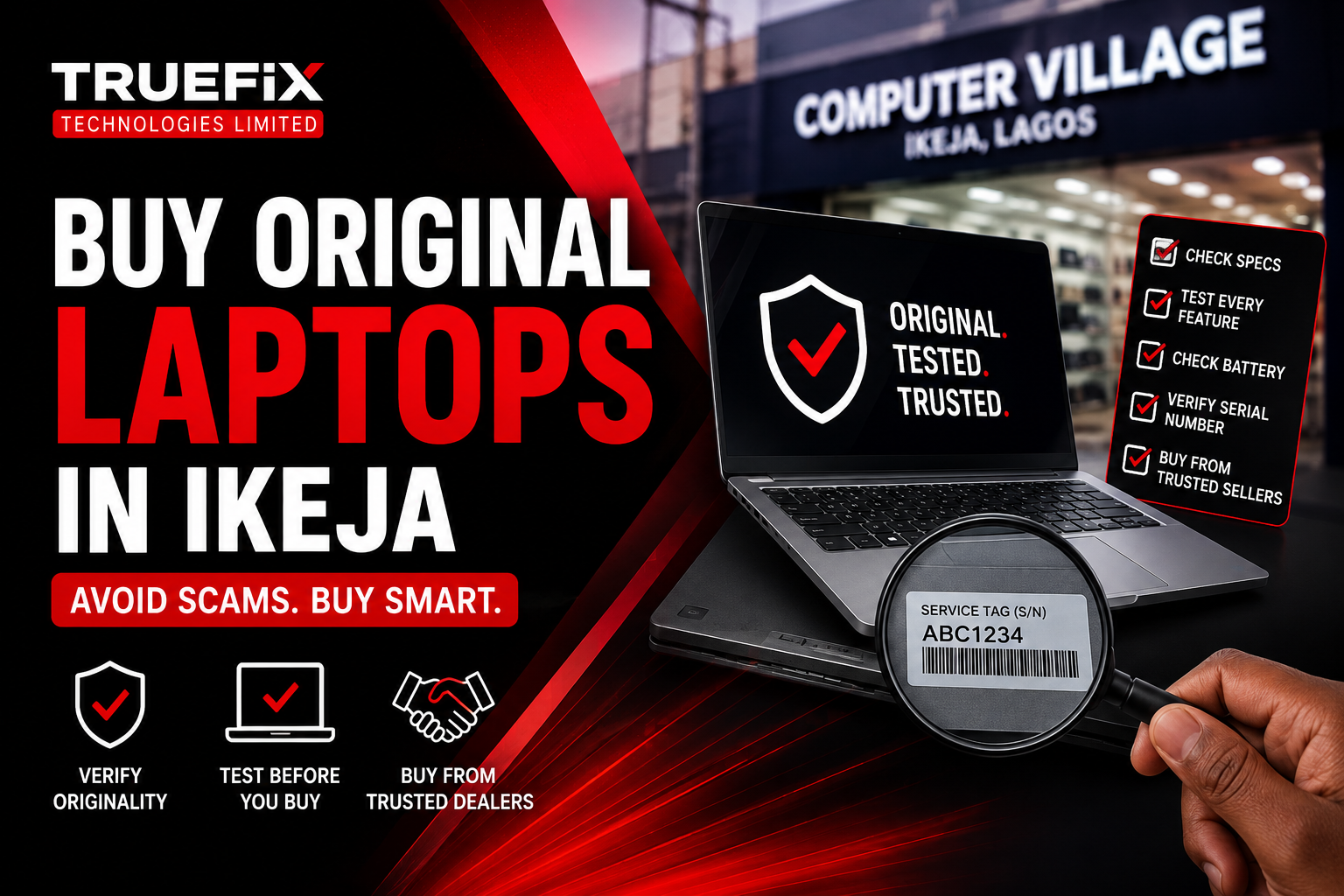
How to Buy an Original Laptop in Computer Village, Ikeja (Without Getting Scammed) Leave a comment
How to Buy an Original Laptop in Computer Village, Ikeja, Lagos.
Whether you’re a university student preparing for a new semester, a business owner upgrading your office equipment, a software developer investing in a faster machine, or a creative professional looking for more power, purchasing a laptop is often a significant investment.
Unfortunately, for many people, that excitement quickly turns into disappointment.
You may have heard stories like these:
“I paid for a Core i7 laptop, only to discover months later that some of the specifications had been misrepresented.”
“The battery was advertised as being in excellent condition, but it barely lasted thirty minutes.”
“The laptop looked clean when I bought it, but after a few weeks, the screen began flickering and the charging port became loose.”
“I thought I got an amazing bargain, but I later realized I had paid for a poorly refurbished laptop with hidden issues.”
Stories like these have contributed to the reputation of Computer Village, Ikeja, often making first-time buyers nervous about purchasing a laptop there.
But here’s the truth.
Computer Village itself is not the problem.
In fact, it’s one of the largest technology and electronics markets in West Africa, attracting thousands of customers every day. Within the market are many honest, experienced businesses that have built strong reputations over years of providing quality products and dependable after-sales support.
At the same time, like many large technology markets around the world, it also has a small number of dishonest sellers who rely on unsuspecting buyers making rushed decisions.
The difference between having a great buying experience and regretting your purchase often comes down to one thing:
Knowing what to check before you pay.
You don’t need to be a computer engineer.
You don’t need years of technical experience.
You simply need to understand a few important checks that can help you separate a genuinely good laptop from one that may have hidden problems.
Over the years, we’ve spoken with countless laptop buyers—students, business owners, freelancers, and corporate professionals. One pattern appears again and again: the people who experience the fewest problems are usually the ones who ask questions, inspect the laptop carefully, and buy from dealers who are transparent about what they’re selling.
This guide was written to help you become one of those informed buyers.
We’ll walk you through the practical steps you should take before buying any laptop, explain common tricks used by dishonest sellers, and show you how to recognize a trustworthy laptop dealer.
By the time you finish reading, you’ll be far more confident walking into Computer Village—or any laptop store in Nigeria—knowing exactly what to look for and what to avoid.
Let’s begin by addressing one of the biggest questions many first-time buyers ask.
Why Does Computer Village Have a Mixed Reputation?
Ask ten Nigerians where to buy a laptop, and there’s a good chance someone will mention Computer Village, Ikeja.
For decades, Computer Village has been the go-to destination for laptops, smartphones, computer accessories, networking equipment, gaming devices, CCTV systems, printers, and almost every type of technology product you can think of.
Every day, thousands of people visit the market looking for everything from affordable student laptops to high-end workstations used by engineers and creative professionals.
So why does it receive both praise and criticism?
The answer lies in its size and diversity.
Computer Village isn’t a single company or one large electronics store.
It’s a bustling technology marketplace made up of hundreds of independent businesses. Each business has its own standards, pricing, customer service, and level of technical expertise.
Think of it like a large shopping mall.
Inside that mall, you’ll find outstanding stores with excellent reputations—and you’ll also find businesses that don’t provide the same level of service.
The same principle applies here.
Many dealers have spent years building their reputation by offering genuine products, honest advice, and dependable after-sales support. Their customers return again and again because trust has become their greatest asset.
Unfortunately, there are also a few sellers who prioritize making a quick sale over building long-term relationships. They may exaggerate specifications, hide defects, or rush customers into making decisions without giving them enough time to inspect the laptop properly.
Because negative experiences tend to spread faster than positive ones, these isolated incidents often shape the public perception of the entire market.
The Good Side of Computer Village
Despite its reputation in some circles, Computer Village offers several advantages when you know where and how to buy:
- A wide selection of laptop brands and models in one location.
- Competitive pricing due to healthy competition among dealers.
- Access to both new and quality UK-used business laptops.
- Availability of spare parts, accessories, and repair services.
- Opportunities to compare multiple laptops before making a decision.
For buyers who do their homework, it’s possible to find excellent value and reliable products.
The Mistakes Many Buyers Make
One common mistake is focusing only on price.
It’s understandable—everyone wants a good deal.
But when a laptop is significantly cheaper than similar models offered by reputable dealers, it’s worth asking why.
Sometimes the explanation is perfectly legitimate. Other times, the low price may reflect hidden issues such as:
- A worn-out battery.
- A replaced display.
- Previous motherboard repairs.
- Non-genuine accessories.
- Cosmetic refurbishment hiding physical damage.
- Missing warranty or after-sales support.
Another mistake is allowing yourself to feel pressured.
Busy markets can create a sense of urgency. A seller might say, “This is the last one,” or “Someone else is already interested.” While that may occasionally be true, it’s rarely a good reason to skip proper inspection.
A trustworthy dealer won’t mind if you take a few extra minutes to test the laptop thoroughly.
The Real Secret to Buying Safely
After years of working in the Nigerian laptop market, one lesson stands out:
The safest purchase isn’t always the cheapest one—it’s the one you fully understand.
Knowing exactly what you’re buying, asking the right questions, verifying the specifications, and dealing with businesses that stand behind their products will save you far more money than chasing the lowest advertised price.
Now that we’ve explored why Computer Village has developed a mixed reputation, the next step is even more important.
Why Some Buyers End Up Getting Scammed (And How You Can Avoid It)
One of the biggest misconceptions about buying a laptop in Computer Village is that people only get scammed because they don’t know anything about computers.
That isn’t always true.
We’ve seen experienced professionals, university lecturers, software developers, and even IT personnel make costly mistakes—not because they lacked technical knowledge, but because they trusted the wrong seller, rushed the buying process, or assumed everything they were told was accurate.
The truth is that most buyers don’t set out to make a bad purchase. They simply don’t know the right questions to ask or the warning signs to watch for.
The good news?
Almost every common scam can be avoided if you know what to look for.
Let’s examine some of the most common mistakes buyers make and how you can avoid them.
Mistake #1 – Chasing the Cheapest Price
Everyone loves a bargain.
There’s nothing wrong with looking for a good deal.
But when one seller is advertising a laptop for ₦120,000 less than every other reputable dealer, you should pause and ask yourself:
“Why is it so cheap?”
In the laptop business, prices usually reflect one or more of the following:
- Overall cosmetic condition.
- Battery health.
- Storage capacity.
- RAM configuration.
- Whether the laptop has been previously repaired.
- Warranty offered.
- Accessories included.
A significantly lower price isn’t always a scam.
Sometimes a seller genuinely wants to clear old stock.
However, unusually low prices often come with compromises that aren’t immediately obvious.
For example:
- A battery that only lasts twenty minutes.
- A replaced display with lower resolution.
- A non-original charger.
- Cosmetic refurbishment hiding physical damage.
- Previous motherboard repairs that weren’t disclosed.
The lesson here isn’t to avoid affordable laptops.
It’s to understand why they’re affordable.
A trustworthy dealer should be comfortable explaining any differences between two similarly priced models.
Mistake #2 – Believing Every Specification Without Verifying It
Imagine buying a laptop advertised as:
- Core i7 Processor
- 16GB RAM
- 512GB SSD
Everything sounds perfect.
You get home, install your applications, and months later discover the laptop actually has different specifications than what you thought you were buying.
Unfortunately, this happens more often than many people realize.
The solution is surprisingly simple:
Always verify the specifications yourself before paying.
You don’t need advanced technical knowledge.
Ask the seller to power on the laptop and check:
- Processor information.
- Installed RAM.
- SSD capacity.
- Windows edition.
- Storage type.
Windows makes this information easy to view through Settings, System Information, or Task Manager.
If you’re unsure how to verify the specifications, ask the seller to show you. A reputable dealer won’t object.
Mistake #3 – Ignoring Battery Health
One of the easiest things to overlook is also one of the most expensive to replace.
The battery.
Many buyers focus on:
✔ The processor.
✔ RAM.
✔ Storage.
✔ Cosmetic appearance.
But they completely forget to ask about battery health.
Imagine purchasing a laptop that looks almost brand new, only to discover later that it only runs for thirty minutes without the charger.
Replacing genuine batteries for some premium business laptops can be expensive.
That’s why it’s worth checking before making payment.
A reputable seller should be willing to discuss:
- Estimated battery backup.
- Battery health.
- Whether the battery is original or previously replaced.
If possible, spend a few minutes using the laptop on battery power before making your decision.
Mistake #4 – Failing to Test Every Port
Many buyers only check whether the laptop turns on.
Then they pay.
Only after getting home do they discover:
- HDMI doesn’t work.
- USB ports are faulty.
- The webcam isn’t detected.
- Wi-Fi disconnects constantly.
- Bluetooth won’t pair.
- The headphone jack has failed.
These issues aren’t always obvious during a quick inspection.
That’s why experienced buyers test everything.
It only takes a few extra minutes, but it can save you significant repair costs later.
Whenever possible, test:
- USB ports.
- HDMI output.
- Wi-Fi.
- Bluetooth.
- Webcam.
- Speakers.
- Microphone.
- Charging port.
- SD card reader (if available).
Think of it like buying a used car.
You wouldn’t buy it without checking the headlights, brakes, or engine.
The same principle applies to laptops.
Mistake #5 – Being Afraid to Ask Questions
Some buyers worry they’ll appear inexperienced if they ask too many questions.
Ironically, asking questions is one of the smartest things you can do.
Good questions include:
- Has this laptop had any previous repairs?
- Is the battery original?
- Is the charger original?
- Has the screen ever been replaced?
- Is there any warranty?
- Can I test the laptop before payment?
- What’s your return policy if there’s an issue?
A trustworthy seller won’t become defensive.
In fact, experienced dealers often appreciate informed customers because it demonstrates that the buyer values quality over impulse.
Mistake #6 – Ignoring Physical Condition
Specifications matter.
But so does the laptop’s physical condition.
Take your time and inspect:
- The hinges.
- The keyboard.
- The touchpad.
- The screen.
- The ports.
- The screws underneath.
- The rubber feet.
Missing screws, uneven panel gaps, or signs of forced opening don’t automatically mean you should avoid the laptop—but they should prompt additional questions.
For example:
“Has this laptop been opened before?”
There’s nothing inherently wrong with a professionally repaired laptop, provided the repair was carried out correctly and disclosed honestly.
Transparency is what matters.
Mistake #7 – Buying Without Any Warranty
Perhaps the biggest mistake of all is assuming that once you’ve paid, every future problem becomes your responsibility.
A reliable dealer stands behind the products they sell.
Even if the warranty period is relatively short, offering one demonstrates confidence in the laptop’s quality and gives buyers peace of mind.
Before making payment, ask:
- Does the laptop come with a warranty?
- What does the warranty cover?
- How long does it last?
- What happens if a fault develops shortly after purchase?
A trustworthy seller should answer these questions clearly.
Buying Smart Is Better Than Buying Cheap
After years of helping customers choose laptops, we’ve noticed something interesting.
The happiest buyers aren’t necessarily the ones who spent the least money.
They’re the ones who took their time, asked questions, inspected the laptop carefully, and bought from businesses that valued long-term relationships over quick sales.
Spending an extra fifteen or twenty minutes inspecting a laptop can save you weeks of frustration—and thousands of naira in unexpected repairs.
And now that you understand the most common mistakes buyers make, it’s time to learn exactly what to inspect before handing over your money.
15 Things You Should Check Before Paying for Any Laptop
Buying a laptop isn’t like buying a phone charger or a computer mouse.
You’re making an investment that could last anywhere from three to eight years, depending on how well you choose and maintain it.
The unfortunate reality is that many buyers spend more time comparing prices than they do inspecting the actual laptop.
That’s backwards.
An extra ten or fifteen minutes of careful inspection can save you months of frustration and thousands of naira in repair costs.
Whether you’re buying a brand-new laptop or a quality UK-used business laptop, here’s the checklist we recommend every customer follows.
1. Verify the Laptop Specifications
Never rely solely on the sticker attached to the laptop or the seller’s verbal description.
Always verify the specifications yourself.
Confirm:
- Processor generation
- RAM size
- Storage capacity
- Storage type (SSD or HDD)
- Windows edition
On Windows, simply right-click This PC and select Properties, or press Ctrl + Shift + Esc to open Task Manager, then navigate to the Performance tab.
This only takes a minute and confirms you’re getting exactly what you’re paying for.
2. Check the Serial Number or Service Tag
Every genuine laptop has a unique serial number.
For brands like:
- Dell
- HP
- Lenovo
- ASUS
the serial number or service tag can often be used to verify the original factory configuration and warranty information on the manufacturer’s website.
If the information doesn’t match the advertised specifications, ask the seller why.
Sometimes upgrades have legitimately been performed, but it’s always worth confirming.
3. Inspect the Physical Condition Carefully
A laptop can look clean from a distance while hiding signs of heavy previous use.
Take your time.
Inspect:
- The top cover
- Palm rest
- Bottom cover
- Corners
- Rubber feet
- Display bezel
Look for:
- Deep scratches
- Cracks
- Missing screws
- Uneven gaps
- Signs the laptop has been opened repeatedly
Minor cosmetic wear is perfectly normal on UK-used laptops.
Poor workmanship isn’t.
4. Test the Keyboard Thoroughly
Don’t just press one or two keys.
Open Notepad and type every letter.
Check:
- All alphabet keys
- Numbers
- Function keys
- Enter
- Backspace
- Space bar
- Arrow keys
A keyboard replacement isn’t always expensive, but discovering faulty keys after getting home is frustrating.
5. Test the Touchpad
Move the cursor across the screen.
Check whether:
- Left click works.
- Right click works.
- Multi-touch gestures respond.
- Scrolling works smoothly.
A responsive touchpad usually indicates the laptop has been well maintained.
6. Examine the Screen Carefully
This is one of the most overlooked checks.
Increase screen brightness to maximum.
Display a white background.
Then a black background.
Look carefully for:
- Dead pixels.
- Bright spots.
- Pressure marks.
- Screen flickering.
- Vertical lines.
- Uneven brightness.
If the laptop has a touchscreen, test every area of the display.
7. Check Battery Health
Don’t settle for:
“The battery is good.”
Ask for evidence.
If possible:
- View the battery health report.
- Ask how long it lasts under normal use.
- Disconnect the charger and use the laptop for several minutes.
Business laptops often retain excellent battery life even after several years—but verification is always better than assumptions.
8. Test Every USB Port
Many people never check this.
Bring along:
- A flash drive.
- A wireless mouse receiver.
- Or ask the seller to demonstrate.
Test:
- USB-A ports.
- USB-C ports.
- Thunderbolt ports (where applicable).
Replacing damaged motherboard USB circuitry can be expensive.
A quick test avoids surprises.
9. Check HDMI and External Display Output
If you’ll ever connect your laptop to:
- A projector.
- External monitor.
- Television.
Then test the HDMI port before buying.
Corporate users, teachers, and business owners especially shouldn’t skip this step.
10. Test Wi-Fi, Bluetooth and Webcam
These components are often forgotten because buyers assume they’ll simply work.
Don’t assume.
Connect to Wi-Fi.
Pair a Bluetooth device.
Open the Camera application.
Check:
- Video quality.
- Microphone.
- Speaker output.
Virtual meetings have become part of everyday work.
Make sure everything functions properly.
11. Listen to the Cooling Fan
Powerful laptops naturally produce some fan noise.
What you shouldn’t hear is:
- Grinding.
- Clicking.
- Loud rattling.
Excessive fan noise could indicate:
- Dust buildup.
- Worn bearings.
- Cooling problems.
A quiet fan generally suggests the cooling system is healthy.
12. Open and Close the Lid Several Times
This sounds simple.
But it reveals a lot.
The hinges should feel:
✔ Smooth.
✔ Firm.
✔ Stable.
They shouldn’t:
✖ Creak.
✖ Snap.
✖ Feel loose.
✖ Separate the plastic casing.
Hinge repairs become much more expensive once they begin damaging the display assembly.
13. Inspect the Charger
Never ignore the charger.
Check:
- Is it original?
- Is the cable damaged?
- Is the connector loose?
- Does charging begin immediately?
Cheap replacement chargers can shorten battery lifespan and may even damage the charging circuit over time.
14. Ask About Previous Repairs
Many buyers avoid asking this question because they assume the answer will always be “No.”
Ask anyway.
There’s nothing inherently wrong with a professionally repaired laptop.
The important thing is honesty.
Questions worth asking include:
- Has the motherboard ever been repaired?
- Has the screen been replaced?
- Has the battery been changed?
- Has the keyboard been replaced?
- Why was the repair carried out?
A transparent seller will answer confidently.
15. Ask About Warranty and After-Sales Support
Finally, ask yourself this question:
“If something goes wrong next week, who do I call?”
The answer should never be:
“Nobody.”
A reputable dealer should offer some form of warranty or after-sales support.
Before paying, ask:
- How long is the warranty?
- What does it cover?
- Is technical support available after purchase?
- Can I return the laptop if a fault appears shortly after buying?
A company that genuinely believes in the quality of its products won’t disappear once payment has been made.
Before You Pay, Remember This…
One of the biggest lessons we’ve learned over years of helping customers buy and repair laptops is this:
Never let excitement replace careful inspection.
It’s easy to fall in love with a sleek design or an attractive price tag, but the smartest buyers stay patient. They ask questions, test every feature, and buy from businesses that are transparent about the product’s history and condition.
Those extra few minutes of diligence can save you from weeks of frustration and unexpected repair costs.
Now that you know exactly what to inspect, the next question becomes even more interesting:
How to Identify a Trusted Laptop Dealer (And Avoid Costly Mistakes)
By now, you’ve learned what to inspect before buying a laptop. But there’s one factor that’s just as important as the laptop itself:
The person or company you’re buying it from.
You can inspect every specification, test every USB port, and verify the battery health, but if the seller isn’t honest or doesn’t stand behind their products, you could still end up with a frustrating experience.
So, how do you tell the difference between a reputable dealer and one who’s simply trying to make a quick sale?
Here are some qualities we’ve found to be consistent among trustworthy laptop dealers.
1. They Encourage You to Inspect the Laptop
A reputable dealer doesn’t rush you.
Instead, they encourage you to:
- Test the keyboard.
- Check the battery.
- Verify the specifications.
- Inspect the screen.
- Connect to Wi-Fi.
- Test the webcam.
- Ask questions.
If someone becomes impatient or discourages you from testing the laptop, that’s a warning sign.
Remember, you’re investing hundreds of thousands of naira. Taking your time is perfectly reasonable.
2. They Are Transparent About the Laptop’s Condition
No laptop is perfect.
Especially when it comes to quality UK-used business laptops.
A trustworthy seller will tell you:
- If the battery has been replaced.
- If the storage has been upgraded.
- If the RAM has been upgraded.
- Whether there are minor cosmetic marks.
- If any components have been professionally repaired.
Honesty builds trust.
Trying to hide these details destroys it.
3. They Offer Warranty and After-Sales Support
One of the biggest differences between a serious business and an opportunistic seller is what happens after you’ve made payment.
Ask yourself:
If I have a problem next week, can I easily reach this seller?
Reliable dealers typically provide:
- Product warranty.
- Technical support.
- Genuine advice.
- Repair assistance.
- Upgrade services.
- Customer care after the sale.
Buying from someone who disappears once payment is made often ends up costing more in the long run.
4. They Focus on Your Needs, Not Just Their Sales
A good dealer doesn’t simply recommend the most expensive laptop in the store.
Instead, they ask questions like:
- What will you use the laptop for?
- Are you a student?
- Do you edit videos?
- Do you write software?
- Will you be carrying it around every day?
- What’s your budget?
Only after understanding your needs should they begin making recommendations.
This customer-first approach usually leads to happier buyers and fewer regrets.
5. They Have Technical Knowledge
One thing we’ve noticed over the years is that customers appreciate buying from people who actually understand laptops.
A knowledgeable dealer can explain:
- The difference between Intel Core i5 and Core i7.
- Whether 8GB or 16GB RAM suits your needs.
- Why an SSD makes such a big difference.
- Which laptop brands are easier to upgrade.
- How long a battery is expected to last.
- Which model offers the best value for your budget.
You’re not just buying a laptop—you’re benefiting from professional advice that helps you make the right choice.
Frequently Asked Questions (FAQ)
Is Computer Village a safe place to buy a laptop?
Yes. Computer Village remains one of Nigeria’s largest and most popular technology markets. Like any large marketplace, it has both highly reputable businesses and less reliable sellers. The key is to buy from trusted dealers, inspect the laptop thoroughly, and ask the right questions before making payment.
Are UK-Used Laptops Worth Buying?
Absolutely.
In fact, many business-class UK-used laptops from brands like Dell, HP, and Lenovo are built to higher durability standards than many entry-level consumer models.
When purchased from a reputable dealer and properly tested, they often provide excellent value for money.
Which Laptop Brand Is the Most Reliable?
There isn’t a single “best” brand because it depends on your needs.
However, brands such as:
- Dell Latitude
- HP EliteBook
- Lenovo ThinkPad
have earned strong reputations for reliability, durability, and excellent performance in business environments.
Should I Buy Online or Visit the Store?
Both options have their advantages.
Buying online is convenient, but visiting a trusted showroom allows you to inspect the laptop, test its features, and ask questions before making a decision.
If you’re buying online, choose a dealer with a proven reputation, clear product descriptions, and reliable after-sales support.
Can I Upgrade My Laptop Later?
In many cases, yes.
Business laptops often allow upgrades such as:
- Increasing RAM.
- Installing a larger SSD.
- Replacing the battery.
- Upgrading storage capacity.
However, some newer ultra-thin laptops have components that are soldered to the motherboard, limiting upgrade options. Always ask before purchasing if future upgrades are important to you.
Final Thoughts
Buying a laptop doesn’t have to be stressful.
The stories you’ve heard about people getting scammed or ending up with faulty laptops are real—but they don’t have to become your story.
By taking your time, verifying specifications, testing the hardware, checking battery health, inspecting the physical condition, and buying from a trusted dealer, you dramatically reduce the chances of making an expensive mistake.
Whether you’re purchasing your first laptop for university, upgrading your business computer, or investing in a powerful workstation for professional use, knowledge is your greatest advantage.
A few extra minutes spent inspecting a laptop today can save you months of frustration tomorrow.
Why Buyers Choose Truefix Technologies Ltd
At Truefix Technologies Ltd, we believe buying a laptop should be based on confidence, not guesswork.
For over a decade, we’ve helped students, professionals, entrepreneurs, corporate organizations, and businesses across Nigeria choose laptops that genuinely match their needs and budgets. Our experience goes beyond sales—we’ve spent years diagnosing, repairing, upgrading, and maintaining laptops from leading brands such as Dell, HP, Lenovo, ASUS, Acer, and Apple.
Because we work on these machines every day, we understand the common issues to watch for and the features that matter most to different users. That practical knowledge allows us to offer honest recommendations rather than simply pushing the most expensive option.
When you buy from Truefix Technologies Ltd, you’re not just purchasing a laptop. You’re gaining access to experienced professionals who can help with:
- Genuine new and quality UK-used laptops.
- Professional laptop diagnostics and repairs.
- RAM and SSD upgrades.
- Battery and screen replacements.
- Motherboard and charging port repairs.
- Laptop maintenance and optimization.
- Accessories and other quality IT gadgets.
- After-sales support and technical advice.
Our goal is simple: to help every customer make an informed decision and enjoy reliable technology that serves them well for years to come.
If you’re looking for quality laptop sales in Computer Village, Ikeja, or need trusted laptop repair services in Lagos, we’d be glad to assist you with professional advice and dependable service.
Final Thought
A laptop is more than just a device—it’s a tool for learning, working, creating, and growing your business. Choosing the right one shouldn’t be left to chance.
We hope this guide has given you the confidence to shop smarter, ask the right questions, and recognize the qualities of a trustworthy dealer. If it saves even one reader from making a costly mistake, then it has achieved its purpose.
If you found this guide helpful, explore our other articles on laptop buying tips, maintenance guides, product reviews, and technology insights. At Truefix Technologies Ltd, we’re committed to sharing practical, honest information that helps Nigerians make better technology decisions.
